
Freight moves.
Work flows.
Freight forwarding software for your whole team. From the first enquiry to the final invoice, keep people, shipments and paperwork together.
Request a workspace Company requests are reviewed before access is arranged.A little less admin.
A lot more momentum.
Keep the details connected, so your team can focus on the work that moves a job forward.
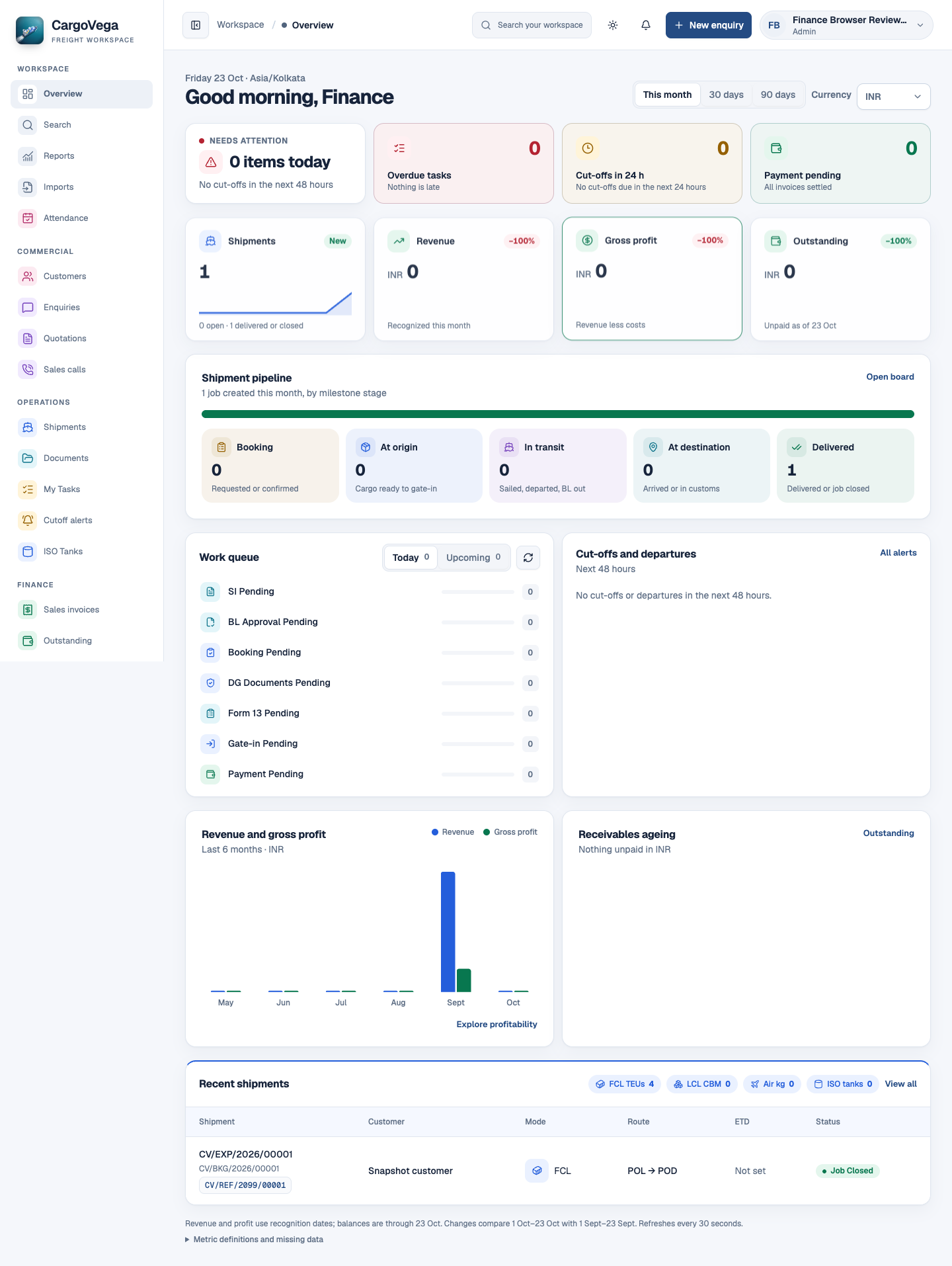
- Shipment pipeline
- See where jobs sit across the shipment stages.
- Work queue and cutoffs
- Find pending work and approaching deadlines.
- Revenue and outstanding
- Review the financial picture with the right access.
Customers and quotations
Keep customers, enquiries, rates and local charges connected. Build quotations with the context your operations team will need next.
- Customer and enquiry records
- Freight rates and local charges
- Quotation revisions and proforma PDFs
Shipments and cutoffs
Find shipment status, tasks and approaching cutoffs in one place. Let the next person pick up the work with the details already there.
- Shipment status and tasks
- Cutoffs and reminders
- Mobile operations workflows
Documents and checklists
Keep shipment files, versions and checklists with their job, with access controlled by company and permission.
- Private, versioned files
- Document checklists
- House bills of lading and freight certificates
Invoices and job finance
Carry the work into invoices, purchase bills, receipts and payments. Review outstanding balances and profitability with the right permissions.
- Sales invoices and purchase bills
- Receipts, payments and outstanding
- Ledgers and controlled job closure
Import & export · FCL · LCL · Air · Dangerous goods · ISO tanks
The whole shipment.
The same page.
Less passing things around. More moving things forward. One connected workspace from enquiry to closure.
From origin to destination, the details travel with you.
- 01
Enquiry
Start with the customer, cargo and service requirements.
- 02
Quotation
Prepare the offer. Keep every revision in context.
- 03
Booking
Turn an accepted quotation into a connected job.
- 04
Shipment
Move through tasks, cutoffs and required documents.
- 05
Finance
Bring invoices, bills and settlements into the picture.
- 06
Closure
Review the outstanding details. Finish the job.
Different desks.
Same direction.
Give each team a connected view of the work, with the access assigned to them.
A better handoff starts here.- Sales
- From a conversation to an accepted quotation.
- Operations
- The next stage, task and deadline in view.
- Documentation
- The right files, versions and review history.
- Accounts
- Invoices, bills and settlements in context.
- Management
- Reports and visibility across the work.
- Admin
- Company access, employees and invitations.
Good questions.
Straight answers.
A few things to know before
bringing your team aboard.
Who is CargoVega for?
CargoVega is for freight-forwarding employees and the teams supporting their work—from sales and operations to documentation, accounts, management and administration.
Can we work across sea and air freight?
Yes. CargoVega supports workflows for import and export, FCL, LCL, Air, dangerous goods and ISO tanks. Your team manages shipment status in the workspace; external carrier tracking is not included.
How does our team get access?
Submit a company request for the CargoVega team to review. Once access is arranged, employees join through provisioning or invitations.
Can we use it on mobile?
Yes. Mobile web supports essential work such as finding jobs, reviewing deadlines, updating shipment status, completing tasks and supported document actions.
How is company access managed?
Each company has its own workspace. Assigned permissions control access to records and actions, including sensitive financial information.
Your next move,
together.
Tell us about your company, your team and what you need.
Already have access? Sign in